VoIP Module Dashboard View
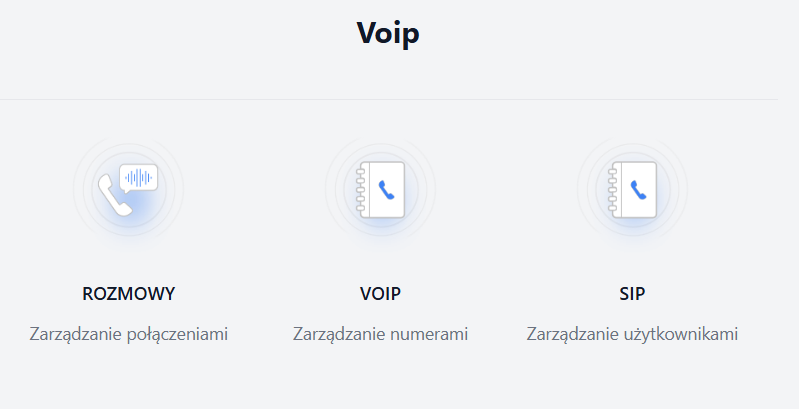
The VoIP module dashboard presents three main sections, each dedicated to a specific area of VoIP service management.
1.Calls, or call management.

This section allows the user to access features related to managing call history, active calls, and other operations directly related to ongoing voice calls.
2.VOIP - managing numbers
The “Call List” view is the central place in the VoIP module for browsing, managing, and analyzing the history of all registered phone calls. It enables users to track details regarding both incoming and outgoing calls.
The “Call List” page contains the following key components:
Sidebar:
- “+Call” button - allows for manually adding information about a call that took place but was not automatically recorded in the list for some reason.
- Your calls button - a filter that allows the employee to quickly display a list of calls they personally made or received.
- All calls button - enables returning to the full list of all calls.
Main Call List - this is a table presenting detailed information about each registered call. It includes the following columns:
-Number from / Client - displays the phone number initiating the call. If the client is not identified, a label “Unknown” may appear along with a + icon, allowing for manual assignment or addition of client information.
-Number to - shows the phone number that the call was made to.
-Description - a field for the user to add a description or note for the given call. Tags can also be added for categorizing conversations.
-Operator - indicates the employee (operator) who handled the call (received an incoming call or made it).
-Creation - date and time of the call registration in the system.
-Status - informs about the status of the call (e.g. “Answered”, “Missed”, “Busy”, “Cancelled”).
-Time - duration of the call, given in HH:MM:SS or MM:SS format.
-3 dots - button that opens a context menu with additional options available for the specific call record (e.g. edit).
Above the call list, on the right side, there are tools that enable effective management of the displayed data:
Statuses - a list that allows filtering calls by their status.
Operators - a list for filtering calls assigned to specific operators.
Sorting - sorting the call list by creation date (e.g. date, duration, operator).
3.SIP - managing users
This section is intended for administering the accounts of VoIP system operators. This includes creating, modifying, deleting SIP accounts, and managing their configuration.
