Preliminary Response in Categories
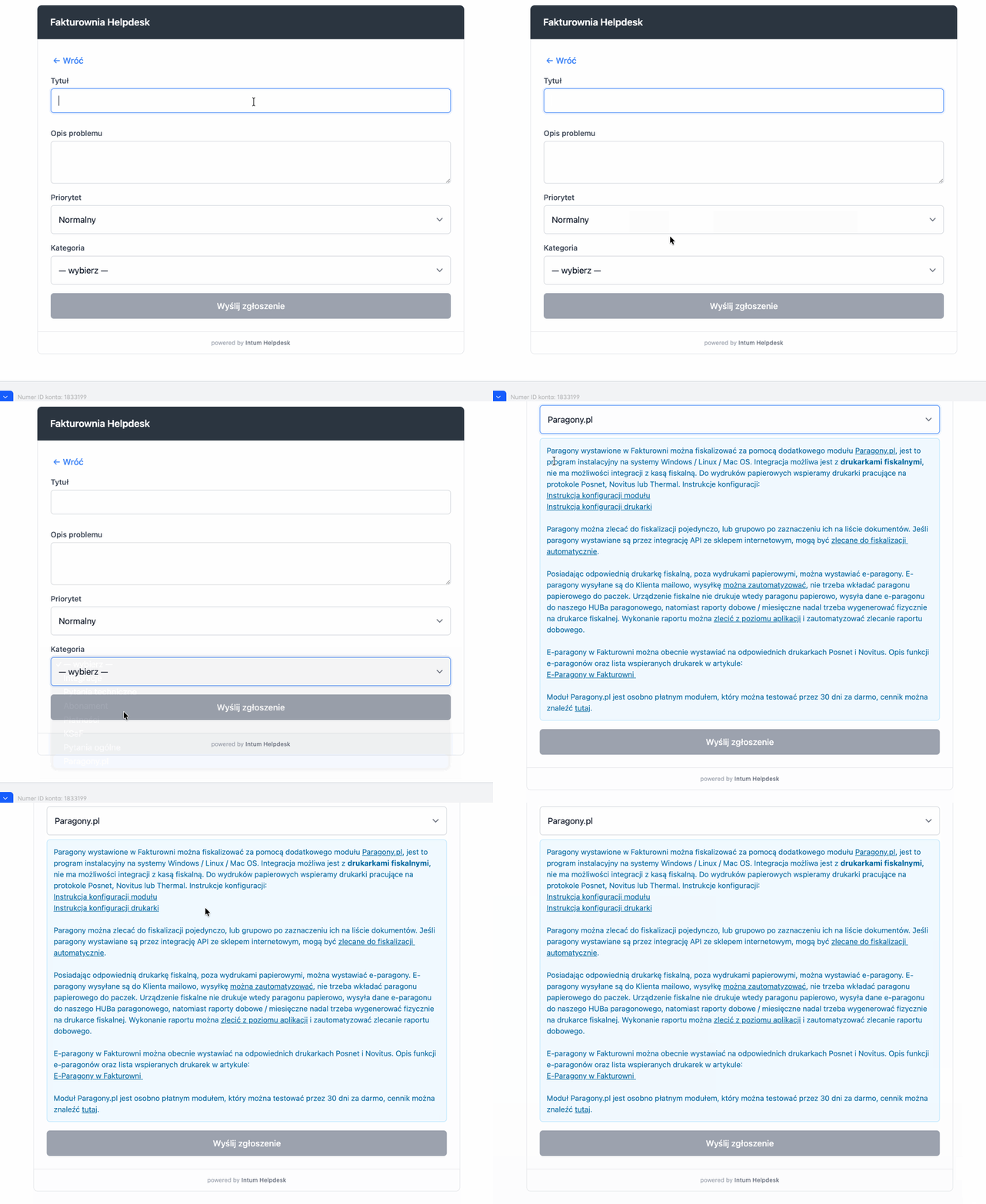
Each category in Helpdesk can have a defined preliminary response - text that will automatically display to the client after selecting that category in the ticket submission form.
What is it for?
The preliminary response allows:
- To immediately provide the client with basic information related to the topic
- To answer the most common questions before the client submits a ticket
- To redirect to documentation or FAQ
- To reduce the number of repetitive tickets
How to configure it?
- Go to Helpdesk → Settings → Categories
- Edit the selected category
- In the Preliminary Response field, enter the text that should be displayed
- Save the changes
Example of Use
For a category like Receipts, you can add a preliminary response with the most common questions - the client will immediately see this information after selecting that category.
Where does it work?
The preliminary response displays:
- In the Helpdesk widget embedded on the page
- In the ticket submission form on the Helpdesk page