An autoresponder is an automatic reply sent to every new email received in the inbox. It is useful, for example, during vacation, outside of working hours, or to confirm to the client that their message has been received.
How to enable the autoresponder
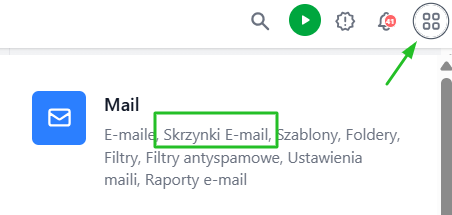
- Go to the 4 dots → Mail section → Email Boxes
- Click Edit next to the selected inbox
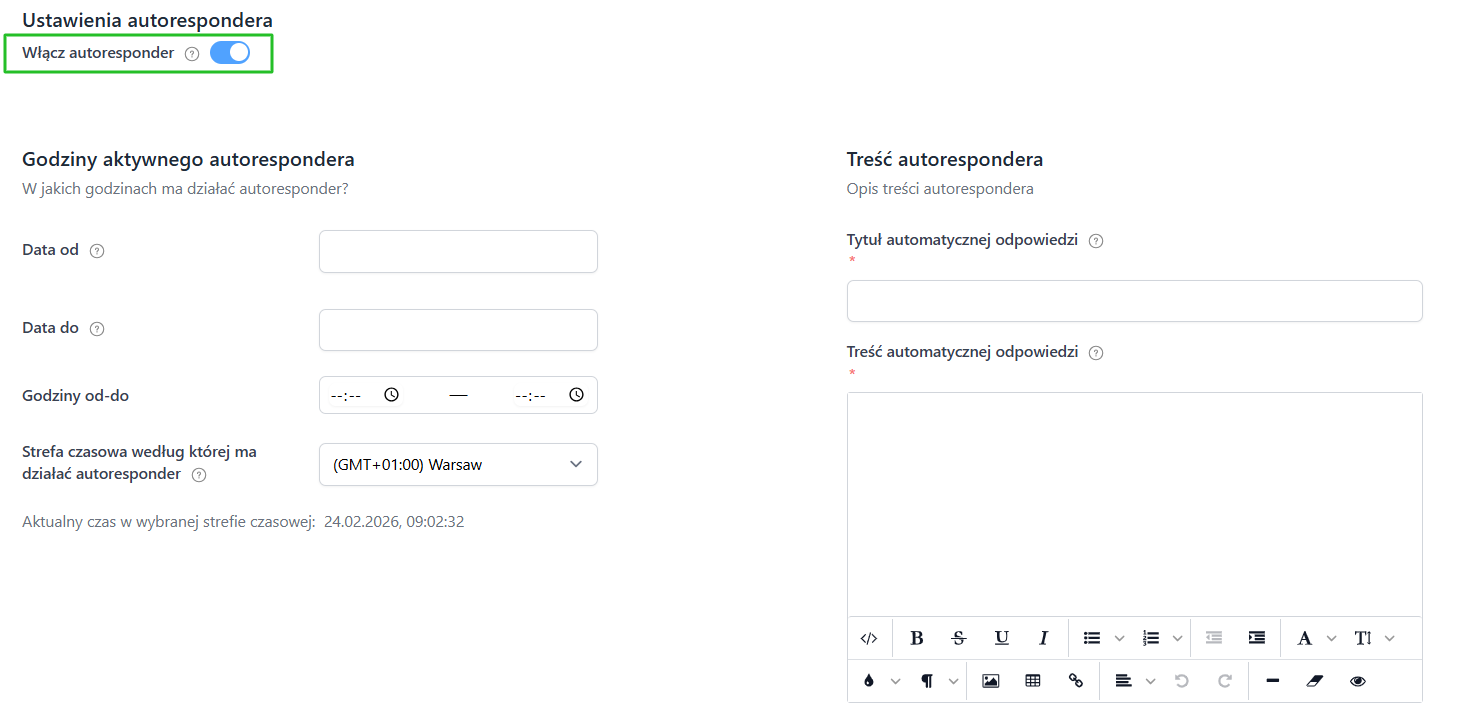
- Scroll down to the Autoresponder Settings section
- Check Enable autoresponder
What needs to be filled out- Date from and Date to - if the autoresponder is to work only during a specific time, e.g., when the employee is on vacation
-
Hours from - to - if the autoresponder is to work only during certain hours (e.g., outside of working hours)
Quick enabling and disabling
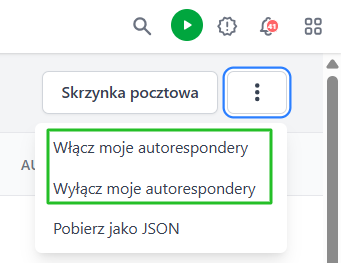
You do not need to edit each of your inboxes separately. In the list of inboxes (4 dots -> Mail -> Email Boxes), by clicking on the 3 dots, you will find:
- Enable my autoresponders — enables the autoresponder on all your inboxes that have content configured
-
Disable my autoresponders — disables the autoresponder on all your inboxes at once
This is convenient, for example, when you go on vacation — with one click, you enable auto-replies on all inboxes.