If you want to increase your sales, are looking for potential customers, and do not want to lose additional leads that could be contacted outside of your office hours, enable the Autocall widget on your account.
The Autocall widget allows customers to request a phone call directly from your website. They just need to enter their phone number and choose to connect “now” or at a selected time.
The system automatically establishes a connection between the employee and the customer through the configured VoIP switchboard.
How does the widget work?
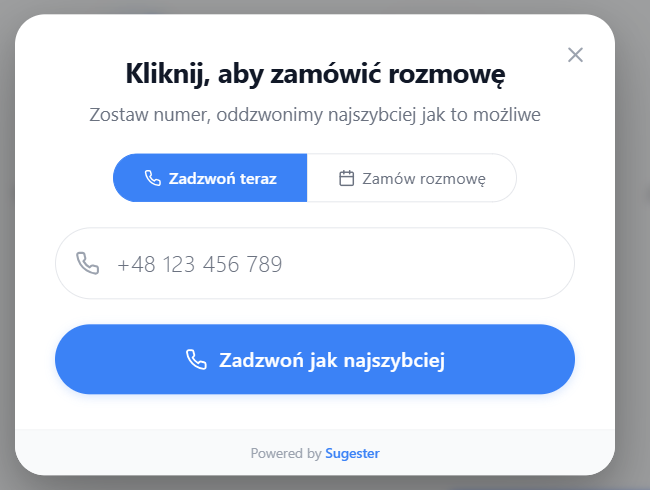
- The customer enters their phone number in the widget on the website.
- They choose:
- immediate connection - the “Call now” option or
- scheduled connection (“Order a call”) for a specific date and time.
- At the chosen moment, the system:
- first calls the VoIP operator (user in CRM),
- after the call is answered, it calls the customer,
- connects both parties into one conversation.
This way, the employee does not have to manually dial the number – the system handles the entire process automatically.When is it worth using the Autocall widget?1. When you want to increase the number of contacts from customers
The customer does not have to call themselves – they just need to leave their number.
2. In sales and inquiry handling
Quick “now” contact increases the chance of closing a sale.
3. For more complex services
The ability to schedule a call allows the customer to choose a convenient time.
4. When you care about a professional image
Calls are made through the VoIP switchboard – the employee’s number remains private.How to add the Autocall widget?
- Go to 4 dots -> VoIP -> VoIP Widgets.
- Click +
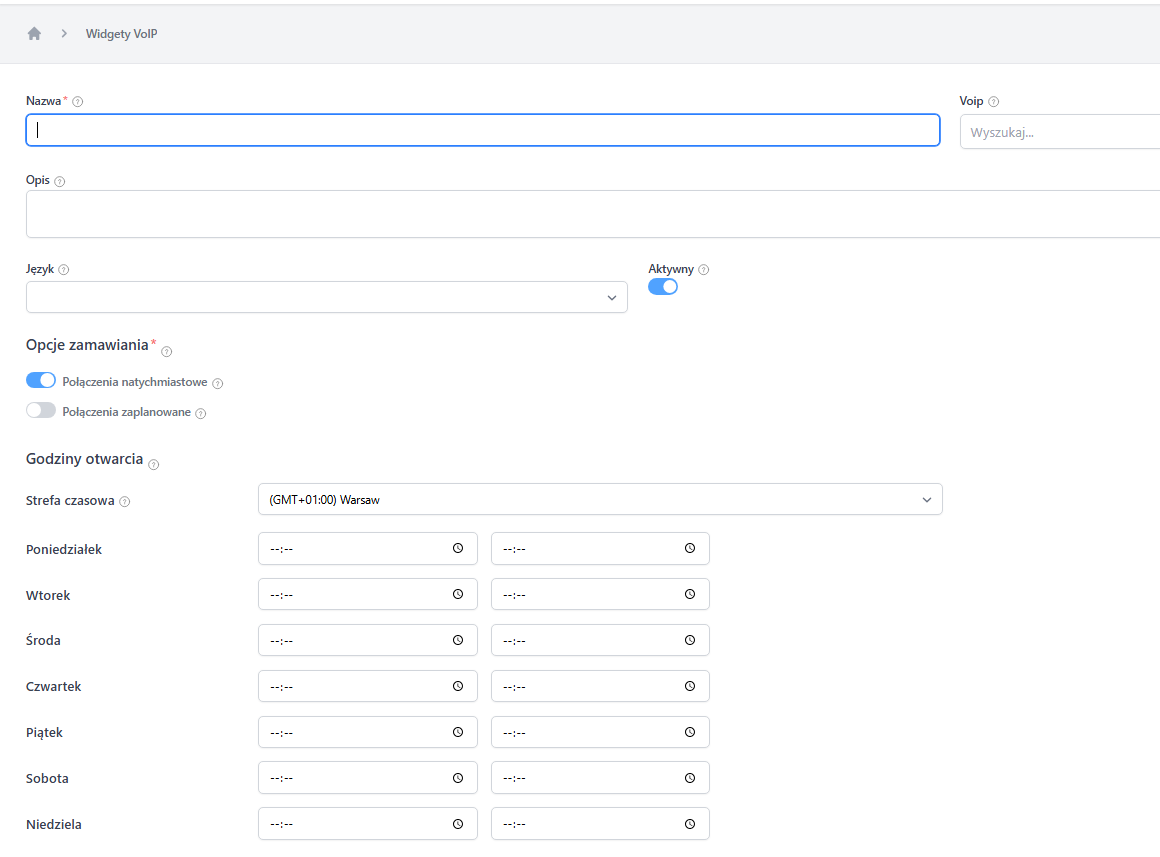
- Fill out the form:
Basic settings- Name – the name of the widget (e.g., “We will call you back in 60 seconds”).
- VoIP – select the account/operator that will handle the calls.
- Description – optional auxiliary description.
- Language – the language of messages visible to the customer.
-
Active – enable for the widget to work on the page.
Ordering options
- Immediate calls – the customer can order a call right away.
-
Scheduled calls – the customer can choose the date and time of contact.
Opening hours
- Select the time zone.
- Set the days and hours during which the system should make calls.
- Save the changes.
The Autocall widget is a simple way to increase the number of phone calls from visitors to your site – without the need for manual callbacks and without losing control over call handling.
You can check the calls ordered by customers by going to 4 dots -> VoIP -> Ordered calls:
NumberThe phone number to which the system will make an automatic call.
Start timeThe date and time at which the system is to call the specified number.
VoIP switchboardThe switchboard through which the automatic call is made.
UserThe consultant with whom the customer will be connected after the automatic call is answered.